
SF Fire CU Login | SFFCU Login | Mobile App Sign In
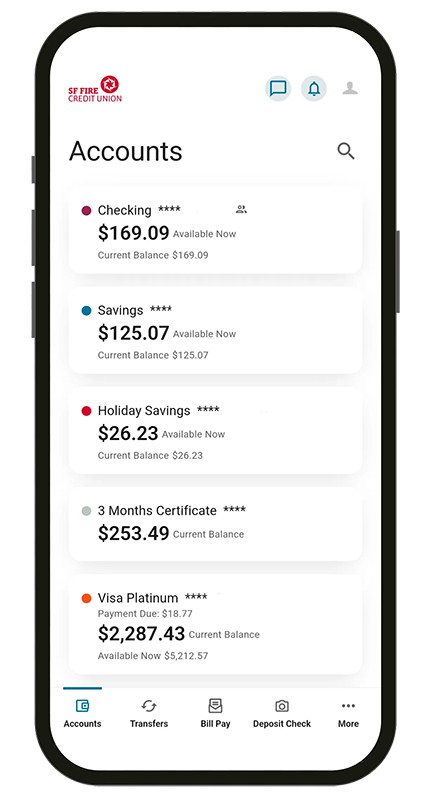
Bank from anywhere with the SF Fire CU Mobile Banking app. Sign in with Face ID or Touch ID, deposit checks, pay bills, and manage your money on iPhone and Android.
- Face ID & Touch ID
- Mobile check deposit
- Push notifications

Anytime, anywhere
The SF Fire CU mobile app offers secure account management, mobile check deposit, instant transfers, and real-time alerts. Download it today and enjoy convenient, secure banking on the go.
- Sign in with Face ID, Touch ID, or a quick PIN
- Deposit checks from your phone in seconds
- Get push notifications for the alerts you choose
- Peek at balances with Snapshot — no full login


How to log in to the mobile app
From download to your first Face ID login in five quick steps.
- 1
Download the app
Get SF Fire CU Mobile Banking free from the Apple App Store or Google Play.
- 2
Open the app and tap Sign In
Launch the app and choose Sign In to reach the mobile banking login screen.
- 3
Enter your username and password
Use the same credentials as online banking. New here? Tap Register to enroll first.
- 4
Turn on Face ID, Touch ID, or a PIN
Enable biometric or PIN login so future sign-ins take just a second.
- 5
Approve authentication & bank
Confirm any one-time security prompt, then deposit checks, pay bills, and check balances.
Quick login with Touch ID & Face ID
Use a PIN instead of a password to quickly log in to the app. Apple and Android users with fingerprint or face authentication can sign in instantly — no typing required.
See how to log inEverything you need in your pocket
Quick login & Touch ID
Use a PIN, fingerprint, or Face ID to sign in to the app in seconds instead of typing your password.
Push notifications
Get your requested alerts as pop-up messages delivered straight to your device.
Snapshot
Peek at checking, savings, or loan balances without logging in by enabling Snapshot.
Mobile deposit
Deposit checks from your phone — safe, secure, and simple, in just a few taps.